# 搜索域名

## 1. 搜索和批量搜索

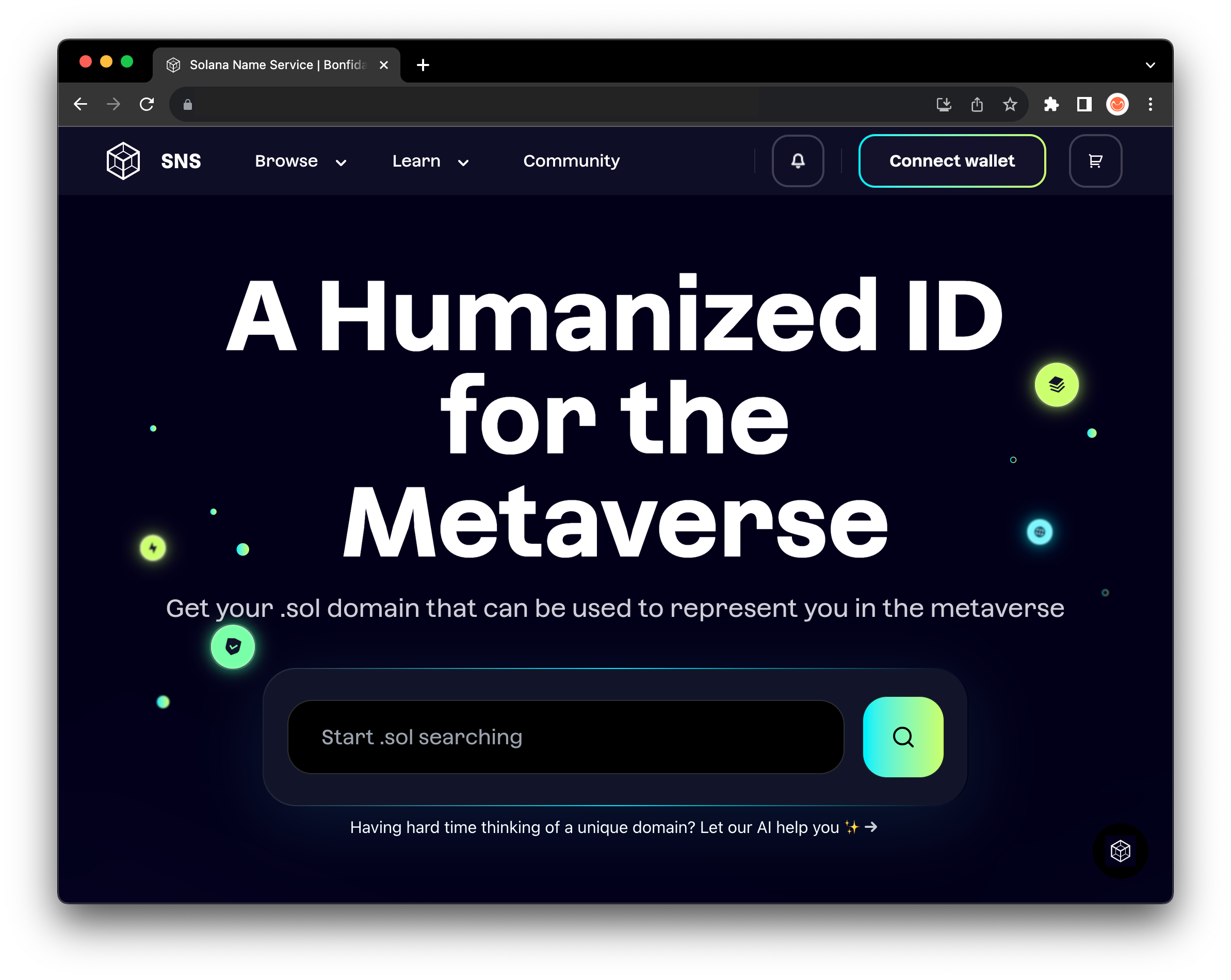
通过访问[ sns.id ](https://www.sns.id/)搜索 **.sol** 域名&#x20;

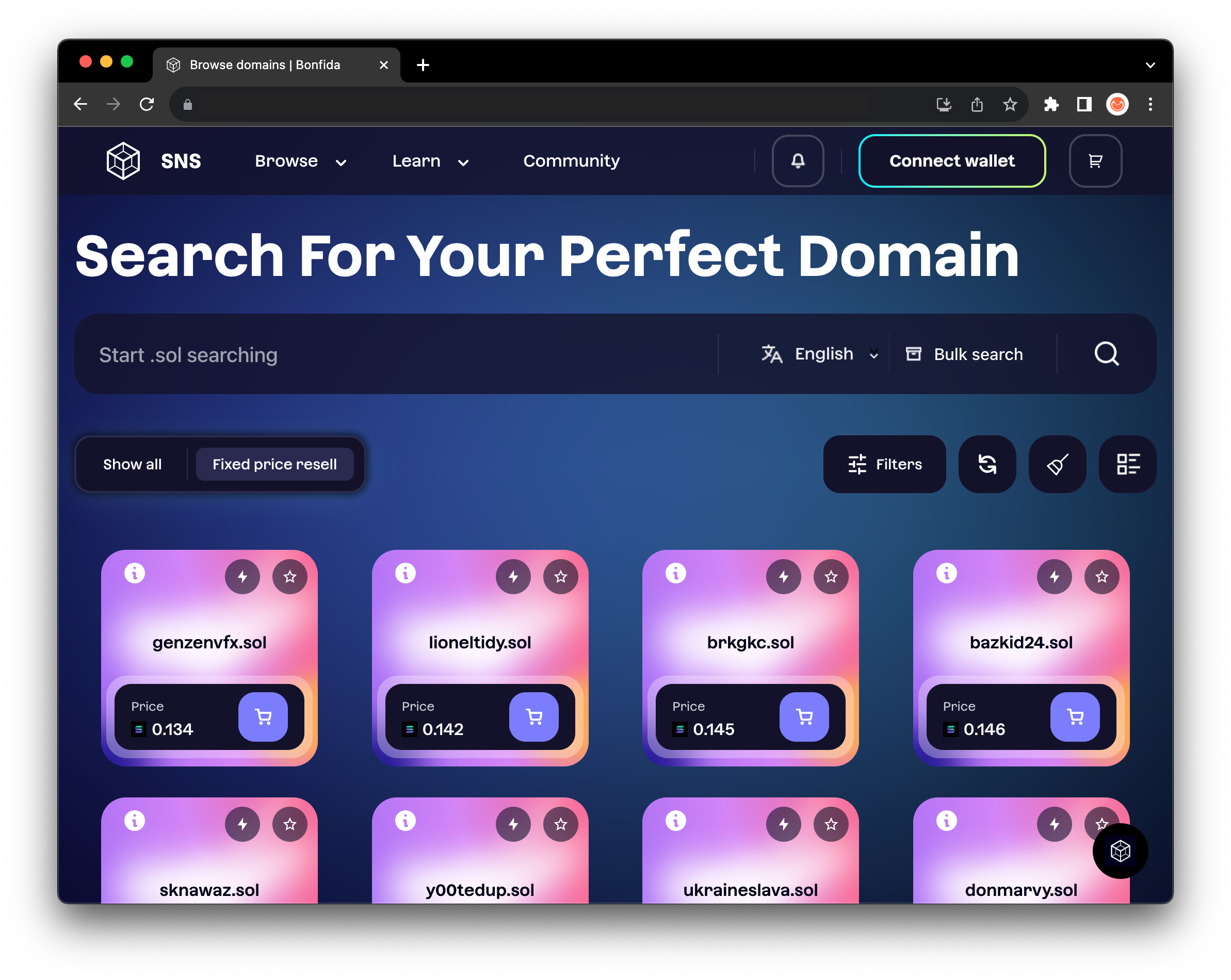
您可以直接从登陆页面搜索，也可以选择进入[浏览](https://www.sns.id/listings?view=1)域名部分，在那里您可以找到已被注册的域名

<div><figure><img src="https://files.gitbook.com/v0/b/gitbook-x-prod.appspot.com/o/spaces%2F-MXk69cl2AKJ9GKU0wg1-887967055%2Fuploads%2FoJAQMqtWlG4mep7Zaajk%2FScreenshot%202023-10-02%20at%2015.52.50.png?alt=media&#x26;token=a22b8b29-1e5c-4b97-919a-82bd8d7c120c" alt=""><figcaption></figcaption></figure> <figure><img src="https://files.gitbook.com/v0/b/gitbook-x-prod.appspot.com/o/spaces%2F-MXk69cl2AKJ9GKU0wg1-887967055%2Fuploads%2FT0HZnYAolI2ElCR6z3Yl%2FScreenshot%202023-10-02%20at%2015.50.54.png?alt=media&#x26;token=e8b27cd1-9fe8-4176-a82e-874638415407" alt=""><figcaption></figcaption></figure></div>

{% hint style="warning" %}
**域名仅以小写形式显示**
{% endhint %}

在 "浏览域名 "部分，请务必使用过滤器来优化搜索体验

![](https://files.gitbook.com/v0/b/gitbook-x-prod.appspot.com/o/spaces%2F-MXk69cl2AKJ9GKU0wg1-887967055%2Fuploads%2FY1Xl2RNuHILOTVlrBLTd%2FScreenshot%202023-10-02%20at%2016.10.59.png?alt=media\&token=cae1207a-ebe6-49e2-a398-38768d75a4f5)

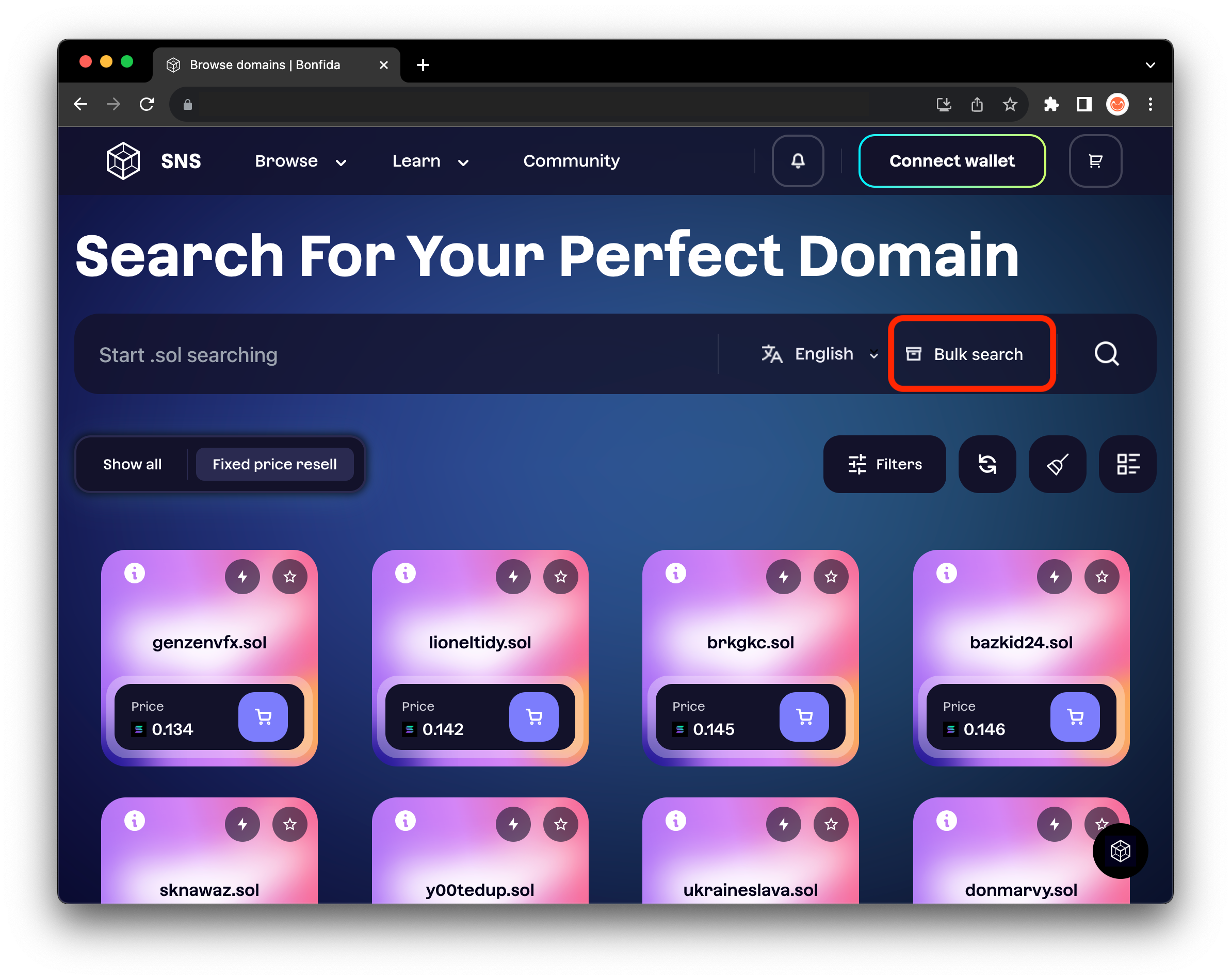
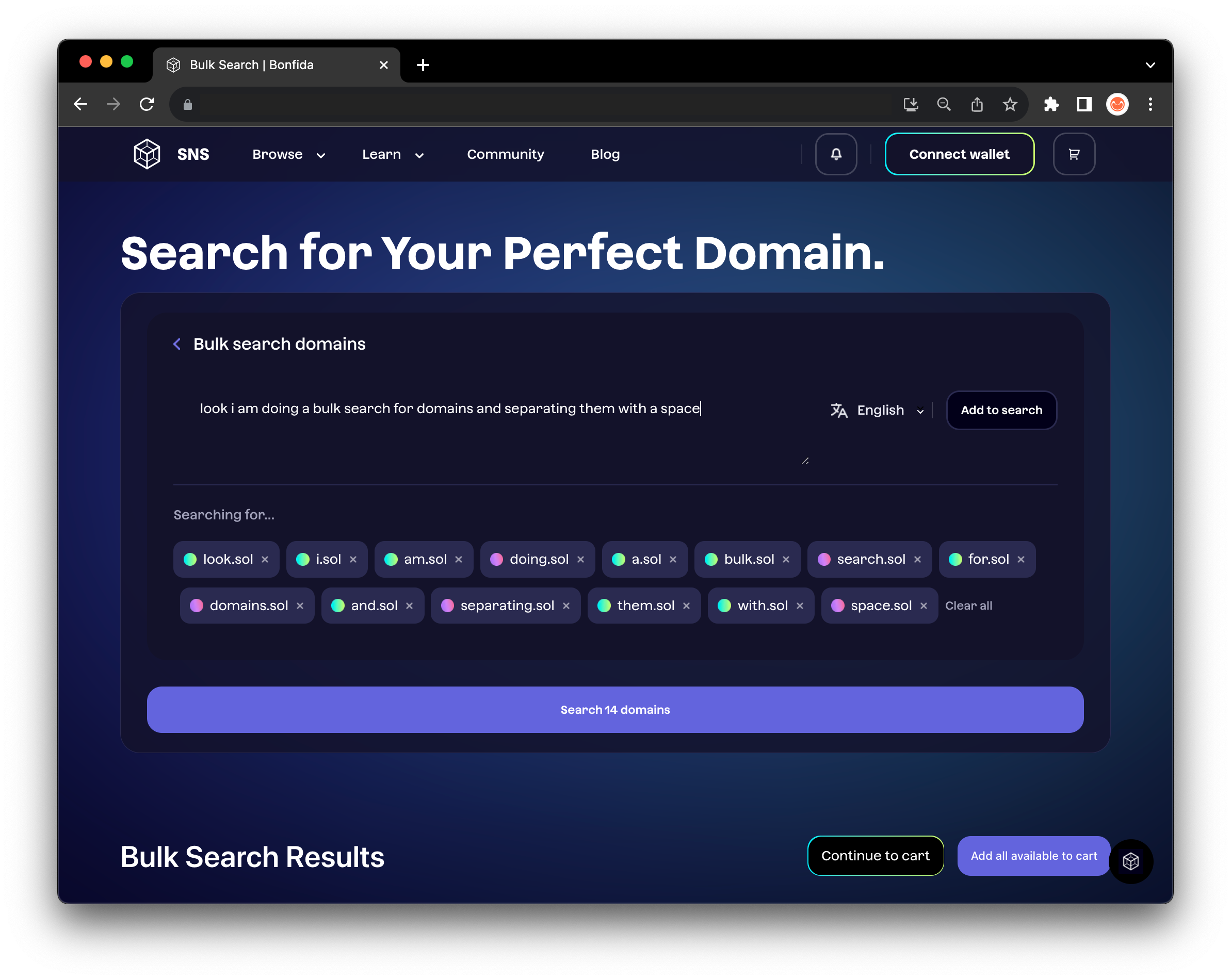
浏览部分还有一个 `"批量搜索 "`按钮。在这里，您可以一次搜索多个域名，可以用逗号或空格分隔域名

<div><figure><img src="https://files.gitbook.com/v0/b/gitbook-x-prod.appspot.com/o/spaces%2F-MXk69cl2AKJ9GKU0wg1-887967055%2Fuploads%2FIKXcV9ZW9uiCY8BVzWd1%2FScreenshot%202023-10-02%20at%2015.50.54.png?alt=media&#x26;token=de7aa64b-6cc1-46fc-a33a-b9cd85ce4fc8" alt=""><figcaption></figcaption></figure> <figure><img src="https://files.gitbook.com/v0/b/gitbook-x-prod.appspot.com/o/spaces%2F-MXk69cl2AKJ9GKU0wg1-887967055%2Fuploads%2FU9ptgVWhzRFy3eng7DYx%2FScreenshot%202023-10-02%20at%2016.31.14.png?alt=media&#x26;token=fc14f29d-1fe5-4d2e-a93b-ae71db9b7053" alt=""><figcaption></figcaption></figure></div>

## 2. AI 搜索

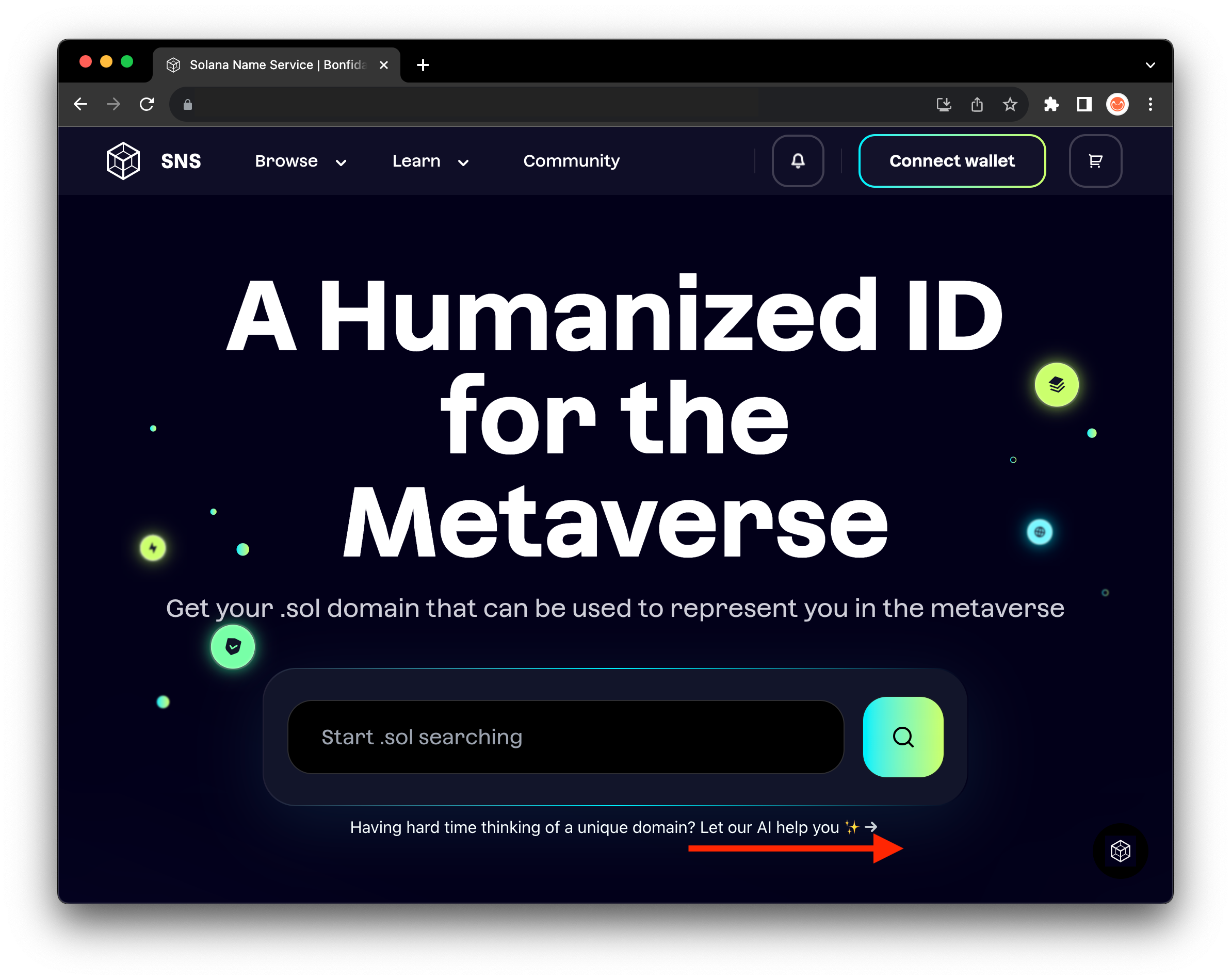
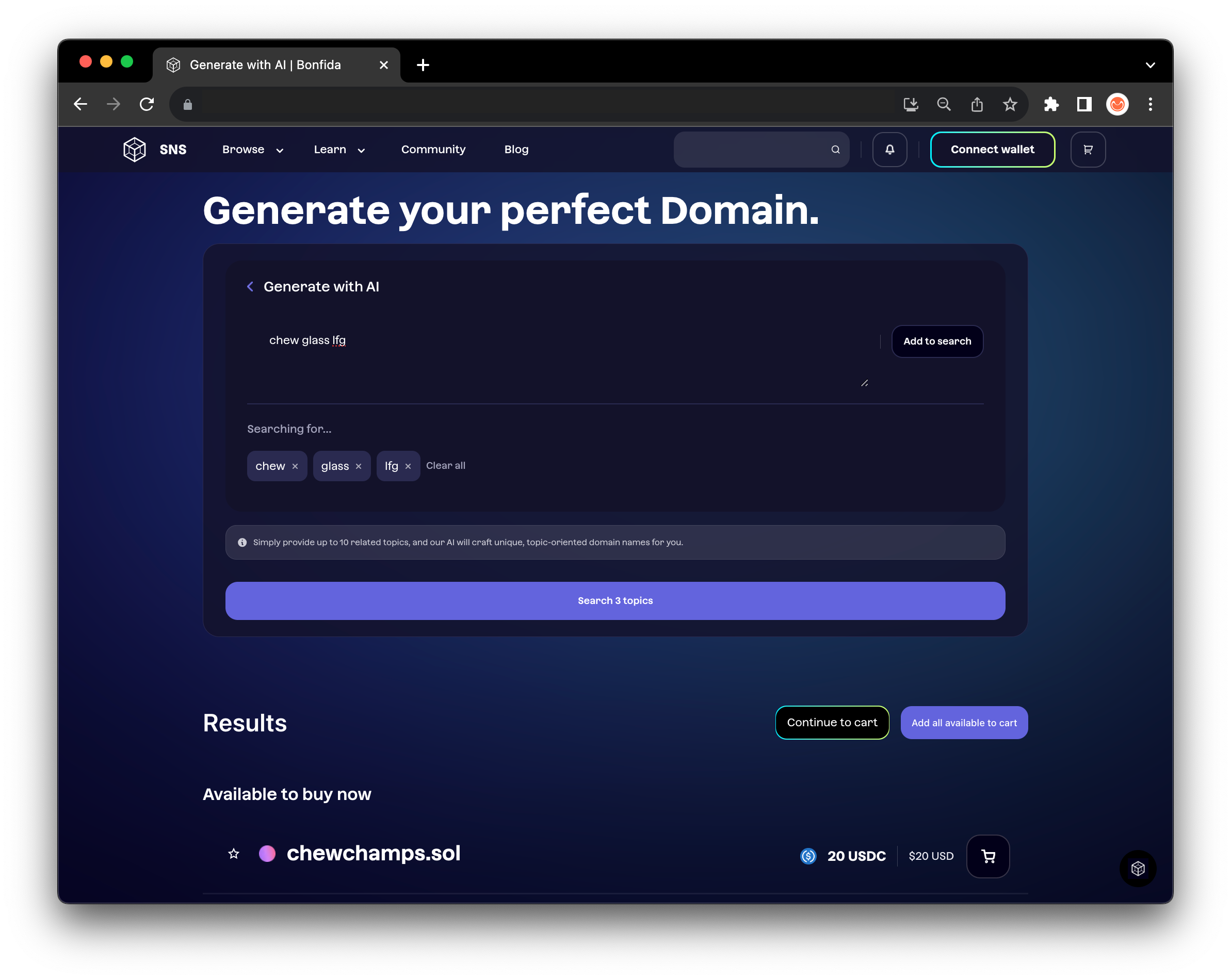
[SNS搜索机器人](https://sns.id/generate-with-ai)拥有一些强大的功能，可以让您在搜索域名时不再费神。该机器人允许您添加感兴趣的主题，并生成尚未注册的创意域名。

<div><figure><img src="https://files.gitbook.com/v0/b/gitbook-x-prod.appspot.com/o/spaces%2F-MXk69cl2AKJ9GKU0wg1-887967055%2Fuploads%2F7fQpgR82Xi977Vi92S8n%2FScreenshot%202023-10-02%20at%2015.52.50.png?alt=media&#x26;token=ff80c753-363f-4461-b568-9fde7739fe06" alt=""><figcaption></figcaption></figure> <figure><img src="https://files.gitbook.com/v0/b/gitbook-x-prod.appspot.com/o/spaces%2F-MXk69cl2AKJ9GKU0wg1-887967055%2Fuploads%2FlHrVGlxzg1G4nwjMrZIF%2FScreenshot%202023-10-02%20at%2017.20.29.png?alt=media&#x26;token=654c4a57-733d-4e34-a7d7-d6fa83315d60" alt=""><figcaption></figcaption></figure></div>

## 3. 通过认证买家搜索

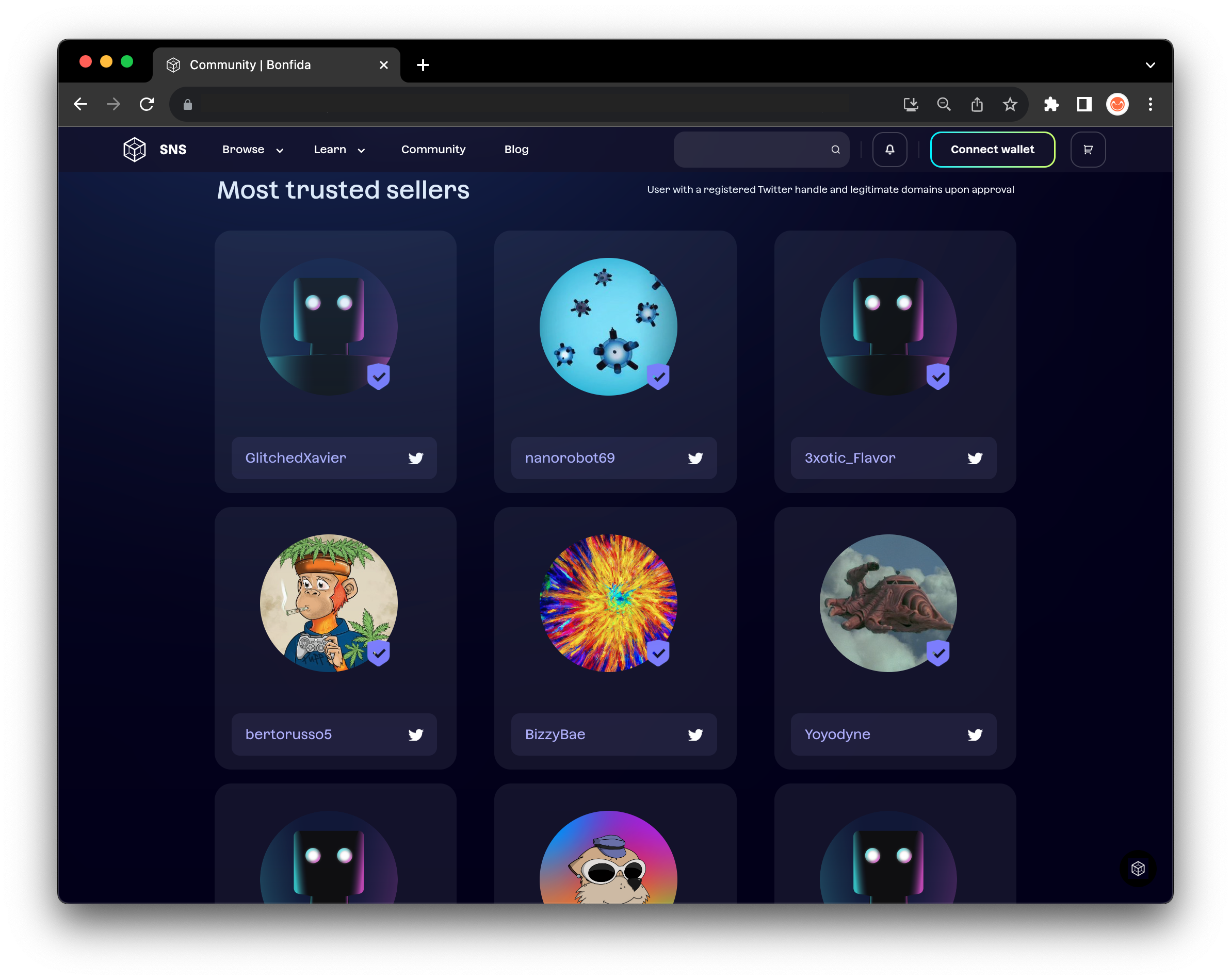
另外，你也可以通过我们的 "认证卖家 "来搜索域名

您可以通过 "社区 "下的 "认证卖家 "搜索认证卖家并浏览他们的域名。
<figure><img src="https://files.gitbook.com/v0/b/gitbook-x-prod.appspot.com/o/spaces%2F-MXk69cl2AKJ9GKU0wg1-887967055%2Fuploads%2FKXzMLLtO7qekXNflgXmS%2FScreenshot%202023-10-02%20at%2017.27.47.png?alt=media&#x26;token=305ca779-33a7-4f03-a577-8b6a2c2f15ad" alt=""><figcaption></figcaption></figure>

{% hint style="info" %}

### **成为认证卖家**

1. 拥有至少10个域名
2. [将您的X用户名链接至你的个人资料页面](/collection/chinese/x-yong-hu-ming-bang-ding.md)

#### **申请认证**

如需申请，请在SNS [Discord 服务器](https://discord.bonfida.org/)上点击ticket-support频道开票申请。请附上您的 SNS 个人资料页面链接，客户支持将为您提供帮助。申请可能需要 1-2 天才能获得批准。
{% endhint %}

{% hint style="danger" %}

#### 要成为认证卖家，您不能拥有任何可疑的域名，其中包括带有不恰当的零宽度连接符 (ZWJ) 的域名，以及包含亵渎、种族主义和仇视同性恋等字眼的域名。

{% endhint %}

## 4.免责声明：认证表情符号和变体选择器

某些表情符号或域名可以包括一个变体选择符（unicode）。**U+FE0F**或**U+FE0E**，您的浏览器使用这些变体选择符来判断表情符号应显示为文本还是图像。但是，某些表情符号的文本和图像的显示方式都相同。这可能导致人们拥有读起来相同的但不同域名（例如😀，有和没有变体选择符）。

| Emoji表情 | 文本 | 图像 |
| ------- | -- | -- |
| 笑脸      | 😀 | 😀 |
| 秤       | ⚖️ | ⚖  |

有些人可能会利用这些变体选择符来欺骗和误导买家。例如，出售一个看起来为合法的域名，但经过检查后却发现是一个带有假冒表情符号的域名。&#x20;

**为了防止用户被这些域名诈骗，除非直接搜索，否则市场默认不显示带有可疑符号的域名，我们的网站也会显示警告标志。**

{% hint style="info" %}
**目前表情符号域名遵循统一码联盟 15.1.0 标准**
{% endhint %}


---

# Agent Instructions: Querying This Documentation

If you need additional information that is not directly available in this page, you can query the documentation dynamically by asking a question.

Perform an HTTP GET request on the current page URL with the `ask` query parameter:

```
GET https://docs.sns.id/collection/chinese/sns-v1-zh/discover-domains-zh.md?ask=<question>
```

The question should be specific, self-contained, and written in natural language.
The response will contain a direct answer to the question and relevant excerpts and sources from the documentation.

Use this mechanism when the answer is not explicitly present in the current page, you need clarification or additional context, or you want to retrieve related documentation sections.