> For the complete documentation index, see [llms.txt](https://docs.sns.id/collection/llms.txt). Markdown versions of documentation pages are available by appending `.md` to page URLs; this page is available as [Markdown](https://docs.sns.id/collection/korean/sns-v1/undefined-4.md).
# 프로필 관리
## 1. 알림 받기
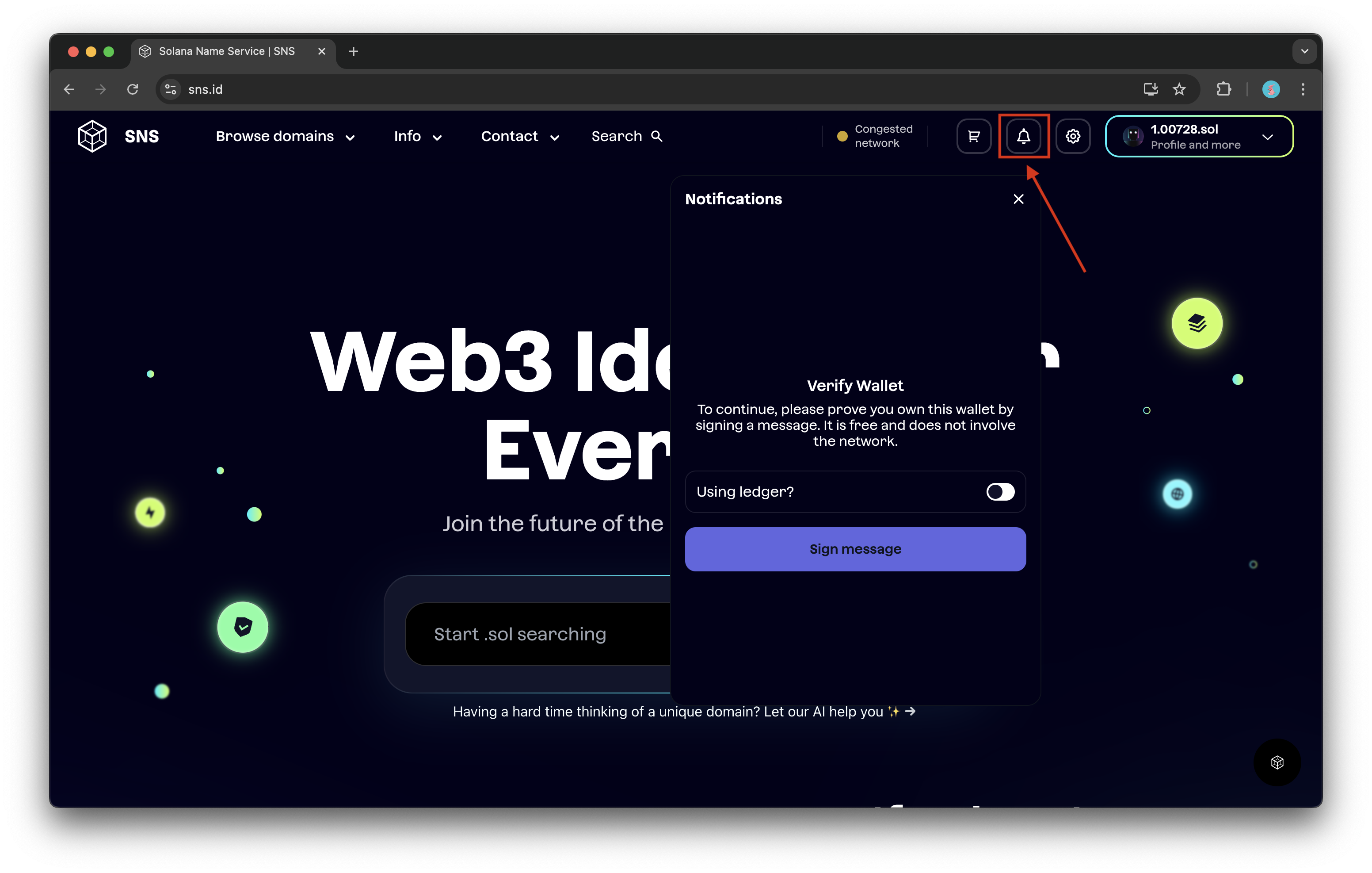
`sns.id`에서 종 모양 아이콘을 클릭하여 판매 및 제안 알림을 켜면 활동을 쉽게 추적할 수 있습니다.
먼저, 지갑을 확인하기 위해 메시지에 서명하세요.\
이 과정은 무료이며 네트워크 변경이 필요하지 않습니다.
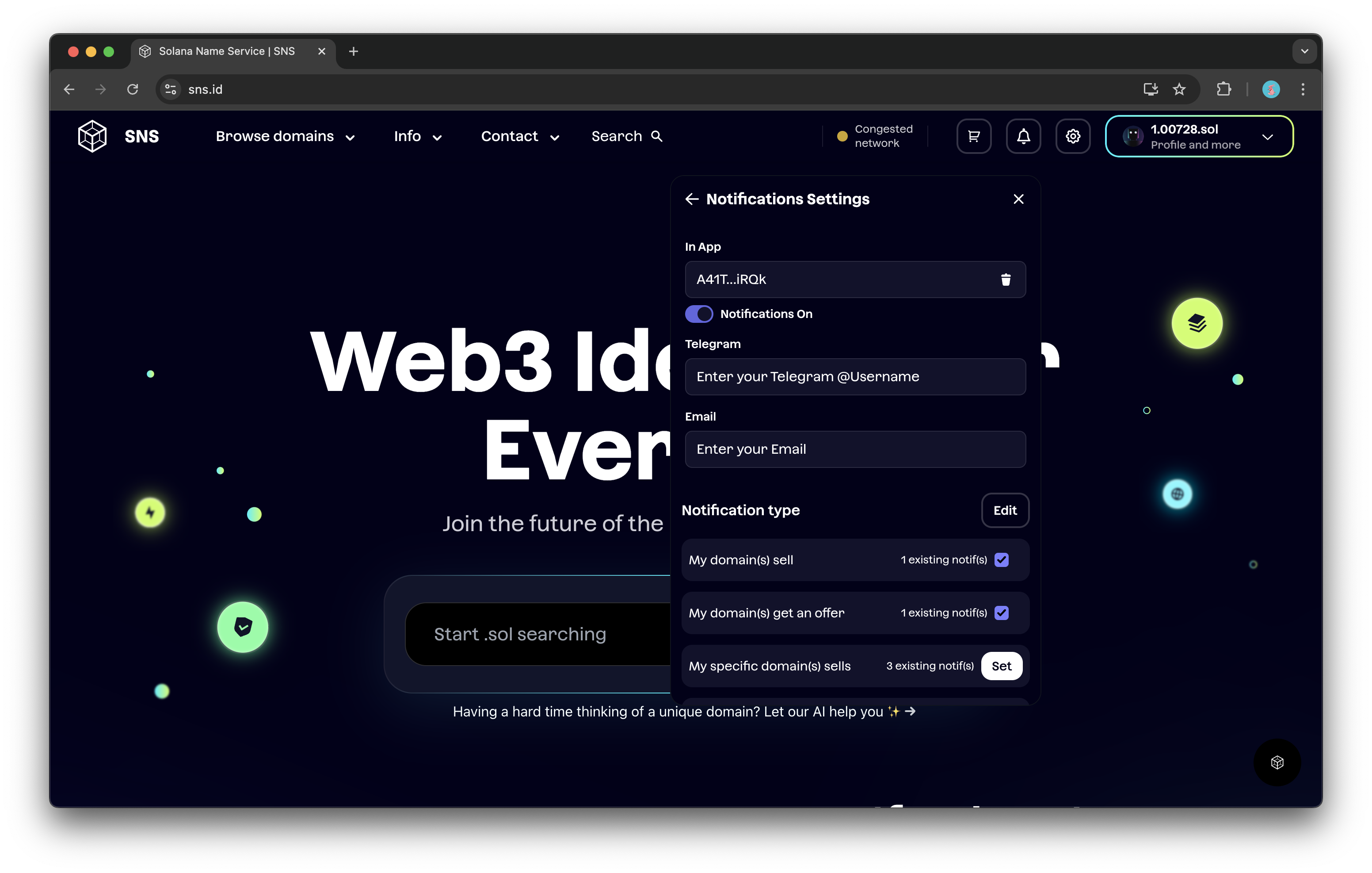
그 후에는 관심 있는 알림 유형과 알림을 받을 방식을 설정할 수 있습니다.
{% hint style="info" %}
**알림을 활성화하는 방법:**\
• **앱 내에서:** 주소 옆의 *Enable* 버튼을 클릭\
• **텔레그램에서:** 봇에게 메시지를 보내 핸들을 인증\
• **이메일로:** 이메일을 입력한 후 전송된 인증 코드를 입력
{% endhint %}
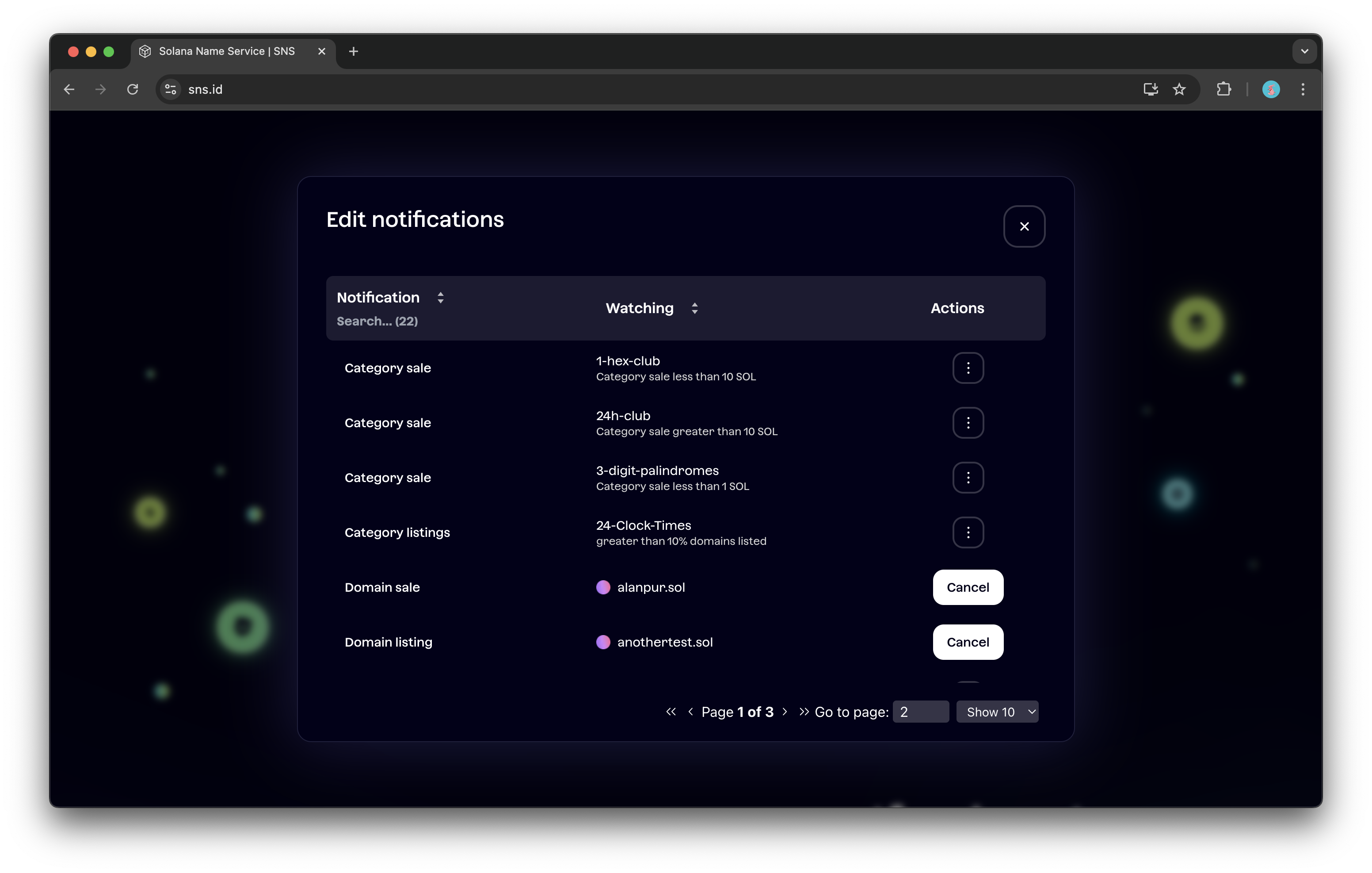
알림 시스템은 유연하게 설계되어 있어, 도메인 목록의 변경사항이나 특정 `.sol` 도메인 관련 이벤트를 놓치지 않도록 보장합니다.
원하는 알림 유형 옆의 **Set** 버튼을 클릭하여 설정할 수 있으며, 언제든지 **Edit** 버튼을 클릭해 변경 가능합니다.
## 2. 베타 기능
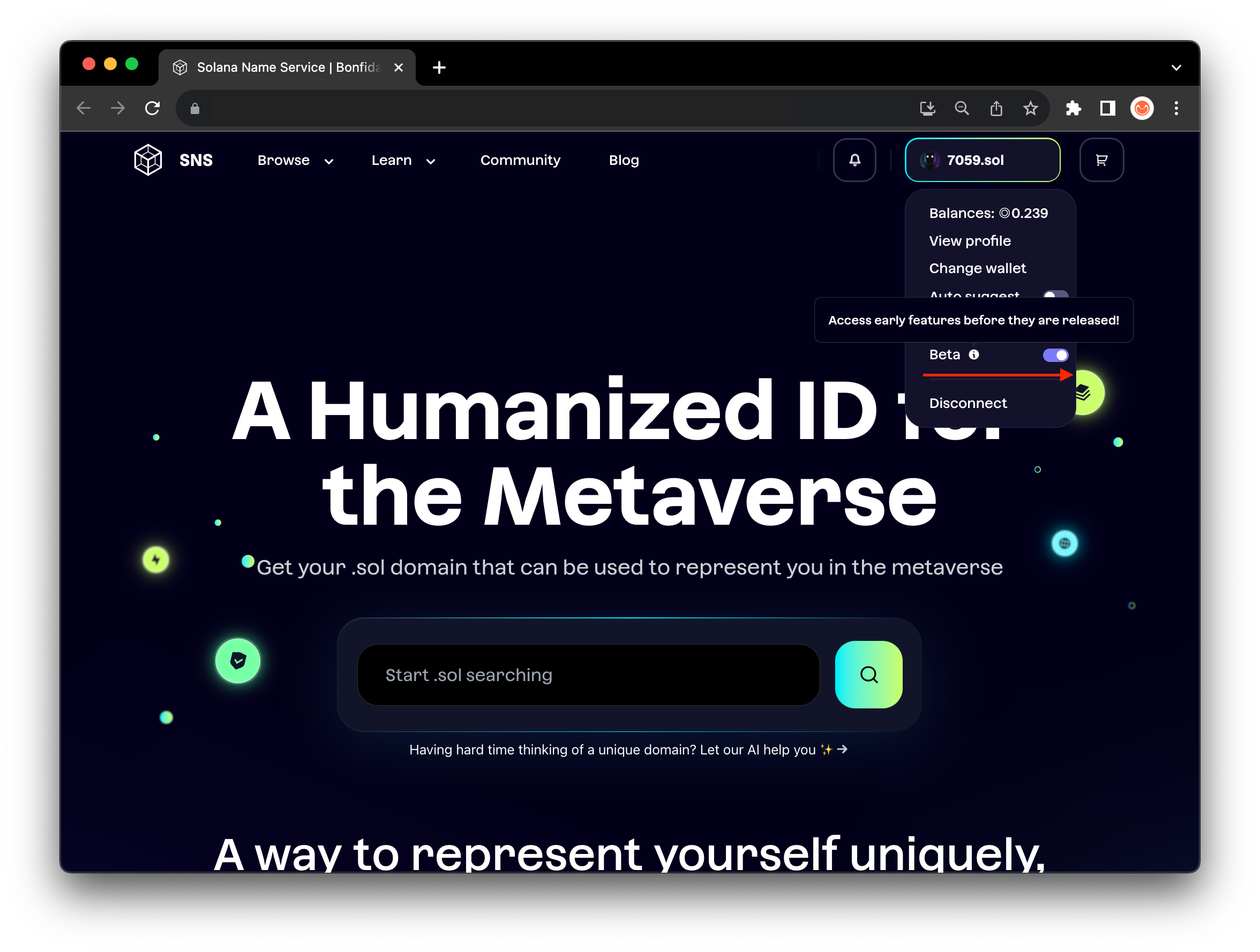
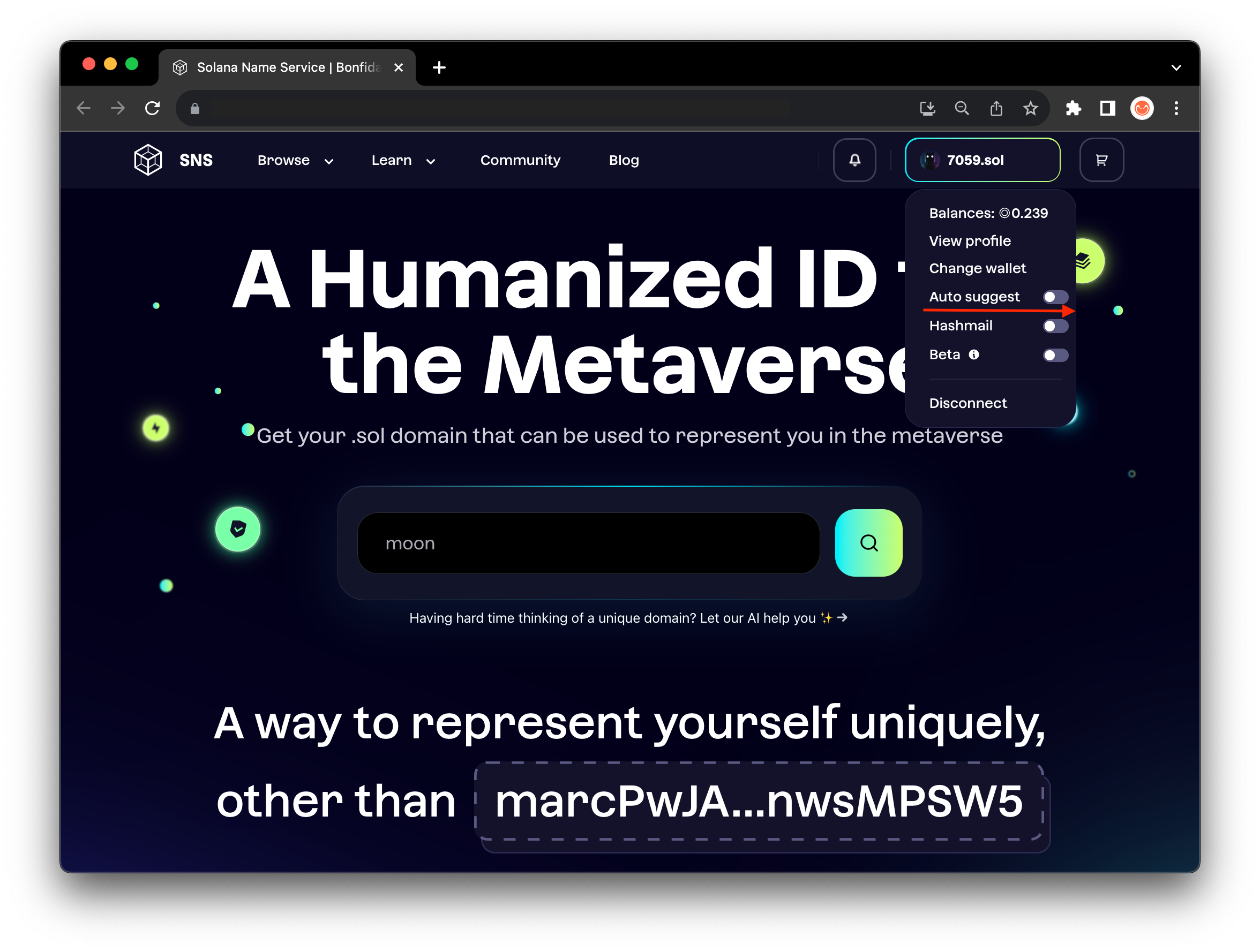
**베타 토글(Beta toggle)** 은 새로운 기능을 테스트할 수 있도록 도와줍니다.\
이 옵션을 켜면 항상 최신 베타 및 실험적 기능을 사용할 수 있습니다.
프로필 버튼을 클릭하여 토글을 표시하세요.
## 3. 자동제안
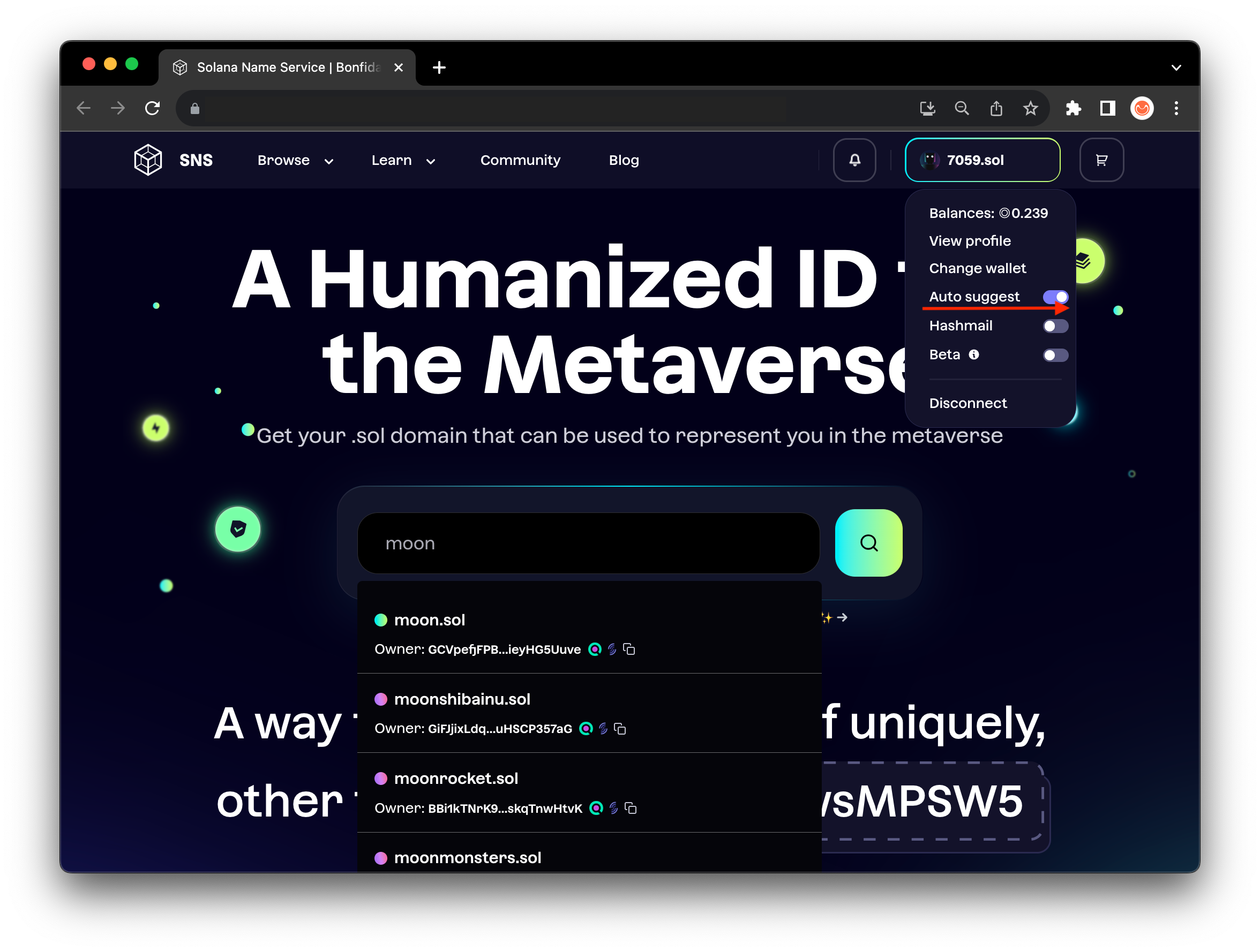
자동 제안(auto-suggest) 토큰은 이름 그대로의 기능을 합니다.\
프로필에서 이 기능을 켜면, 검색한 내용과 비슷한 .sol 도메인 이름을 자동으로 추천해줍니다.
## 4. 프로필 사진 변경
도메인 이름에 프로필 사진을 추가하면, 파트너 dApp에서 SNS 통합 시 이 정보를 자동으로 불러올 수 있습니다.
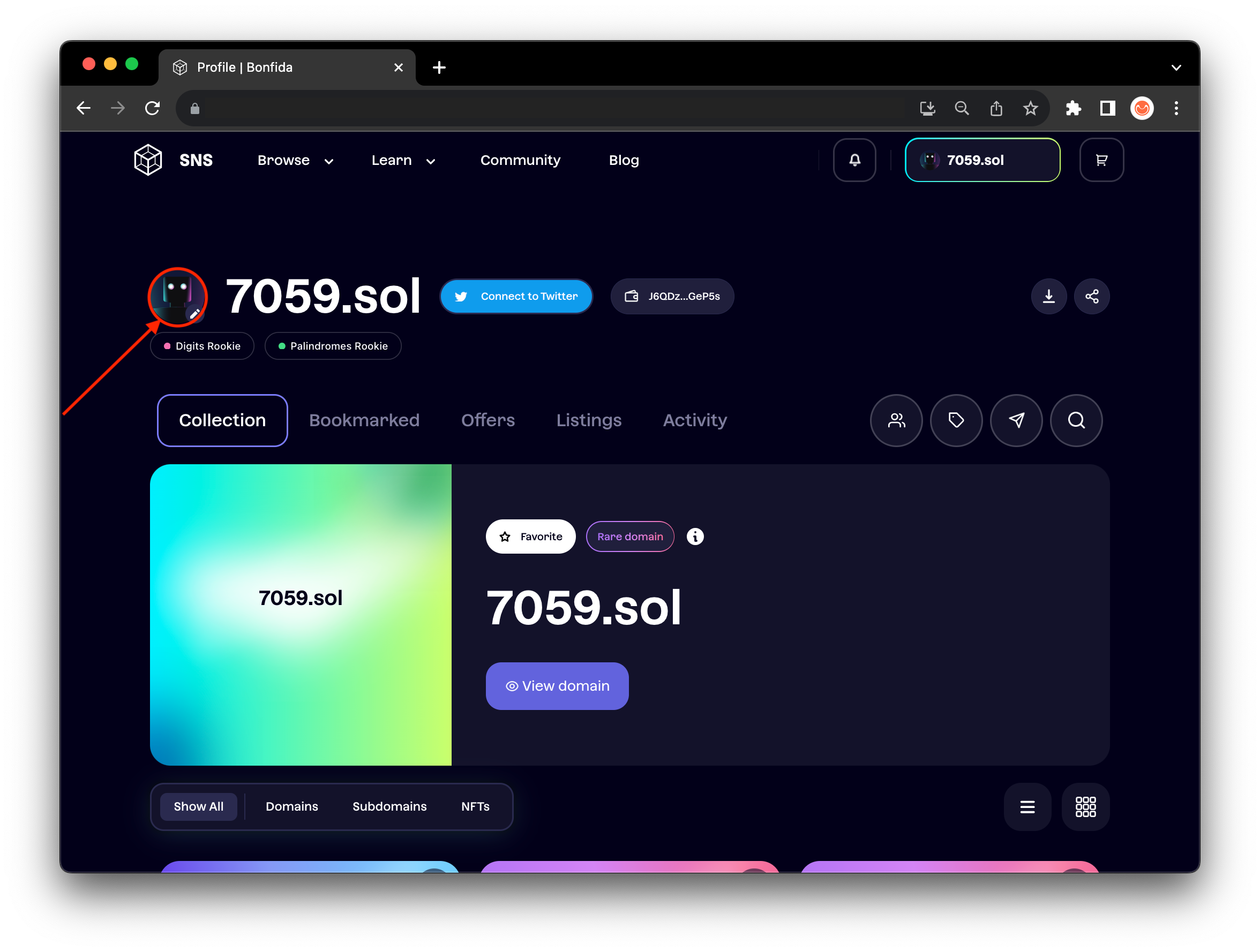
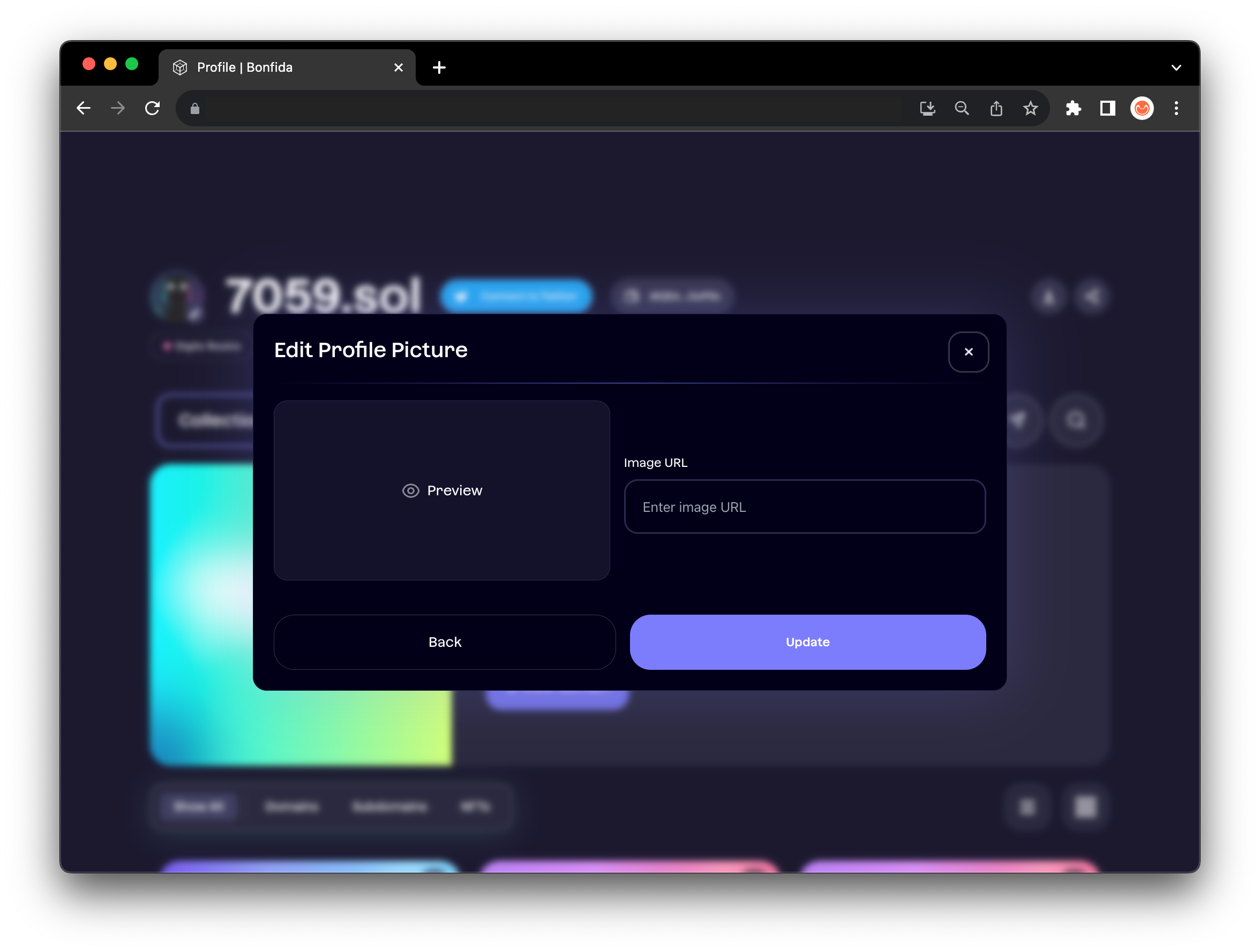
프로필로 이동하여 **프로필 사진 수정 아이콘(Edit Profile Picture Icon)** 을 클릭하고, 이미지의 URL을 추가하세요.
{% hint style="warning" %}
프로필 사진을 변경하려면 ‘즐겨찾는 도메인(favorite domain)’이 설정되어 있어야 합니다.
{% endhint %}
{% hint style="warning" %}
**프로필 사진과 즐겨찾는 도메인은 연결되어 있습니다.**\
즉, 즐겨찾는 도메인을 변경하면 새 프로필 사진을 다시 설정해야 합니다.\
이전 즐겨찾는 도메인으로 되돌리면, 해당 도메인의 기존 사진이 다시 표시됩니다.
{% endhint %}
{% hint style="info" %}
이미지 URL은 브라우저에서 이미지 우클릭 → “이미지 주소 복사(Copy image address)”로 얻을 수 있습니다.
{% endhint %}
## 5. 도메인 북마크
이 기능을 사용하면 마켓플레이스에서 마음에 드는 도메인을 북마크하여 저장할 수 있습니다.\
이렇게 하면 나중에 프로필 페이지에서 해당 도메인의 상태를 쉽게 확인할 수 있습니다.
북마크 아이콘을 클릭하면 하얗게 변하며, 이는 도메인이 저장되었음을 의미합니다.\
저장된 도메인은 프로필 페이지의 **“Bookmarked”** 섹션에서 확인할 수 있습니다.
 
{% hint style="info" %}
도메인 북마크 기능은 완전히 무료입니다.
{% endhint %}