> For the complete documentation index, see [llms.txt](https://docs.sns.id/collection/llms.txt). Markdown versions of documentation pages are available by appending `.md` to page URLs; this page is available as [Markdown](https://docs.sns.id/collection/korean/sns-v2/sns.md).
# SNS 사용 방법
.sol 도메인의 다양한 활용법 알아보기
## SNS로 거래하기
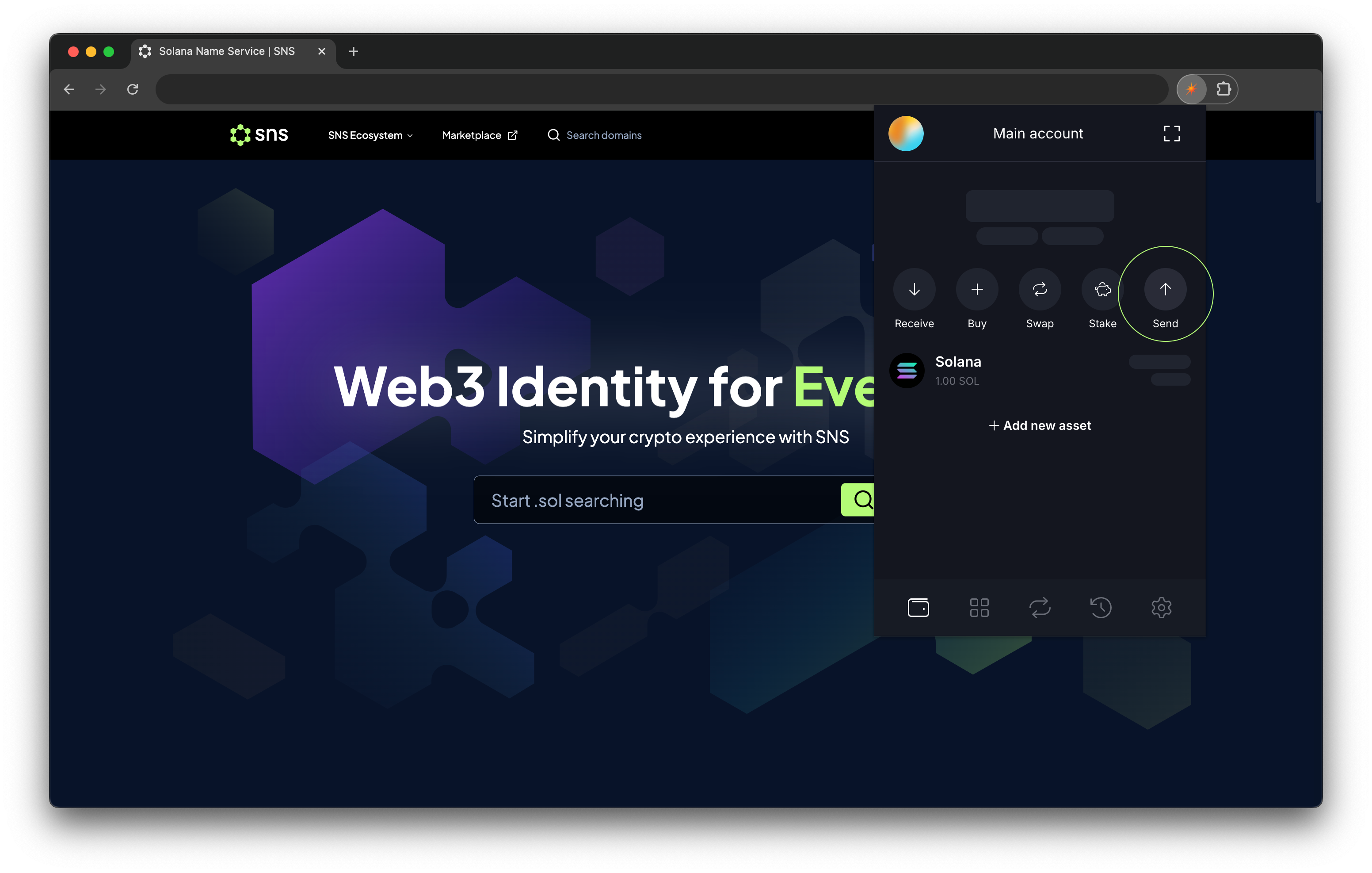
Solana Name Service(SNS)는 Solana의 대부분 인기 지갑에서 지원됩니다.\
[SNS 통합목록](/collection/korean/sns-v2/undefined-3.md)에서도 확인할 수 있듯, **.sol 도메인을 이용한 거래**는 가장 널리 사용되는 기능 중 하나입니다.
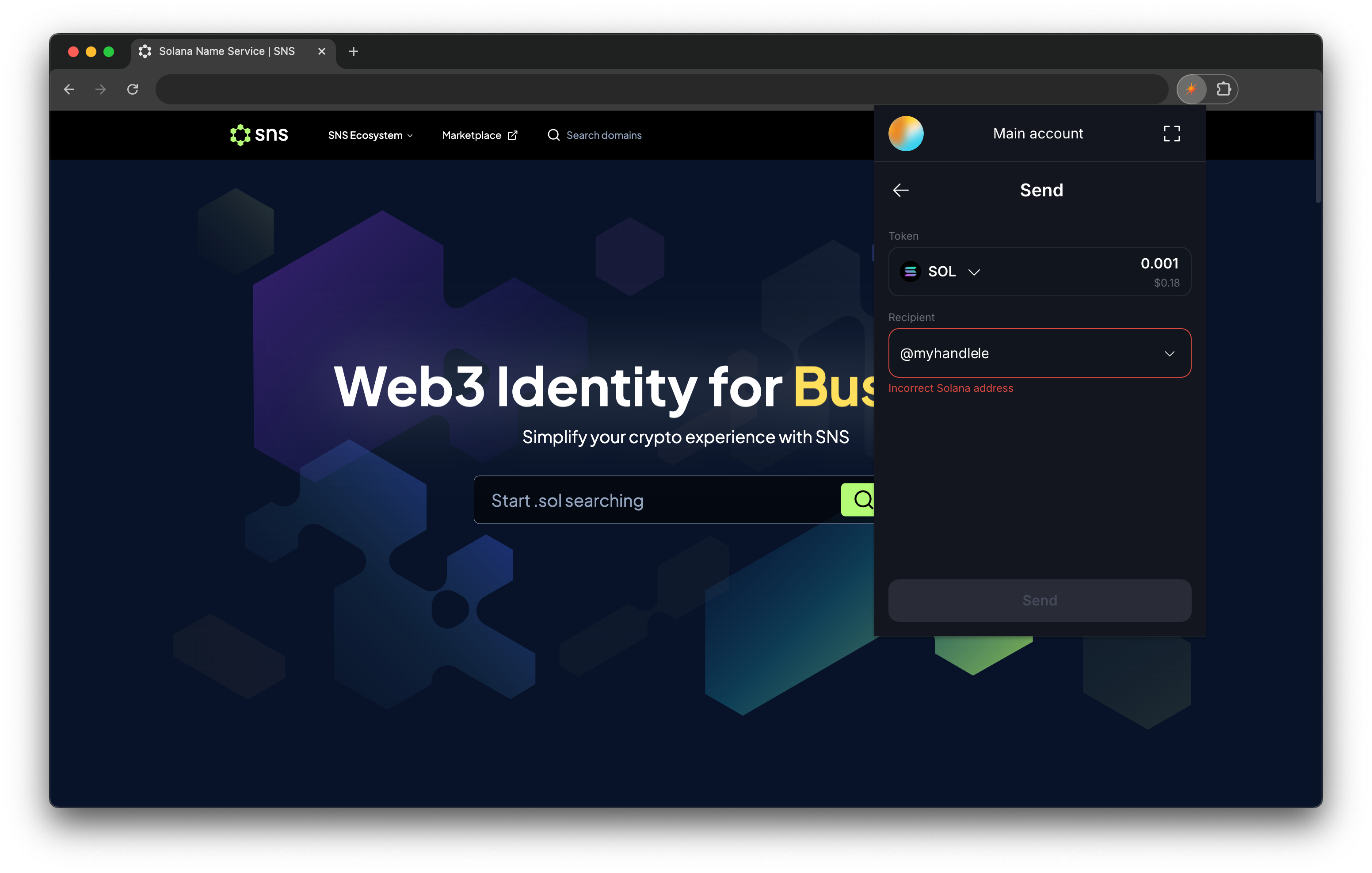
SPL 토큰과 SOL 토큰은 주소 대신 **.sol 도메인**이나 **트위터 핸들(Twitter handle)** 로 직접 전송할 수 있습니다.
### .sol 도메인으로 거래하기
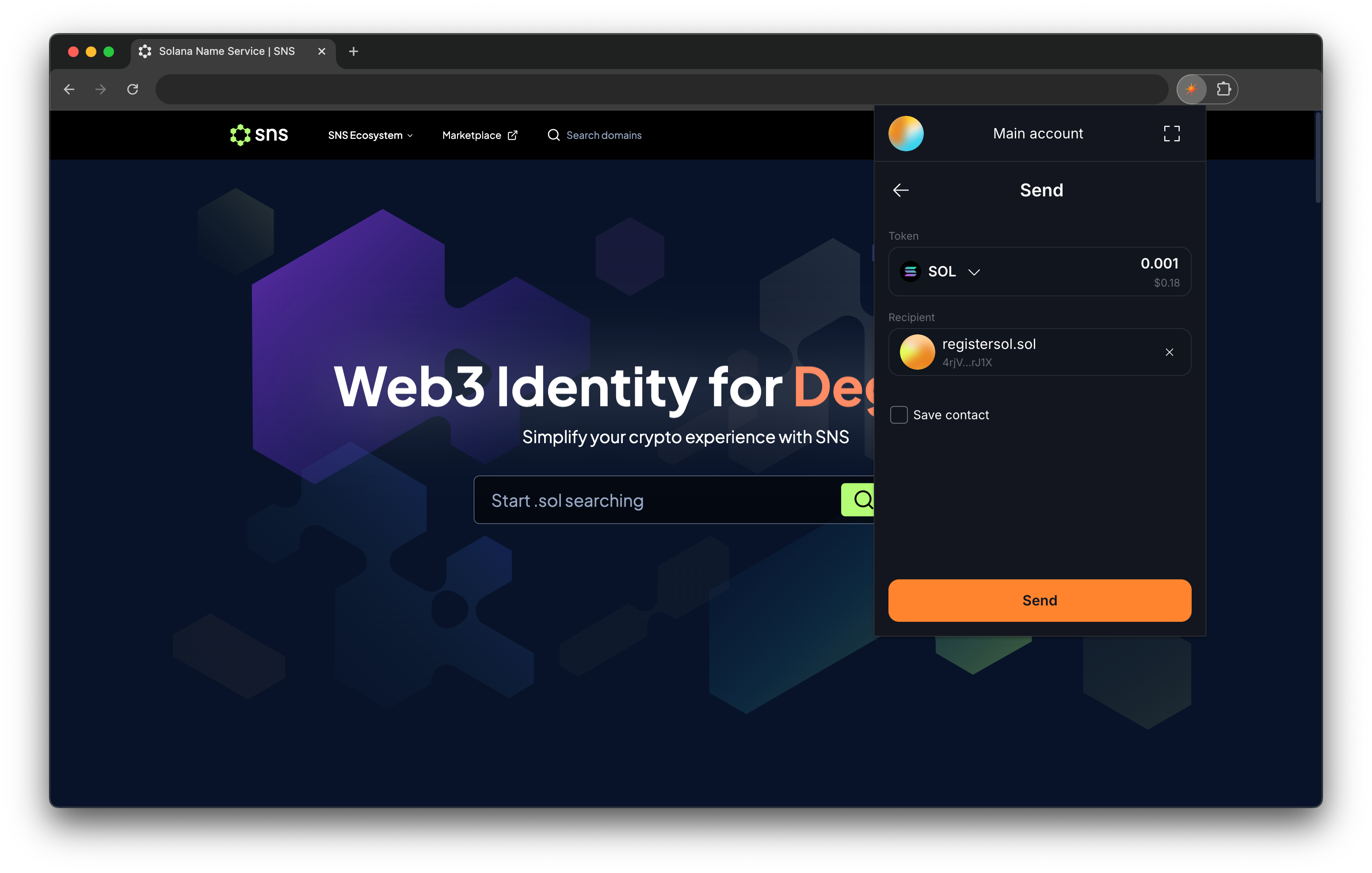
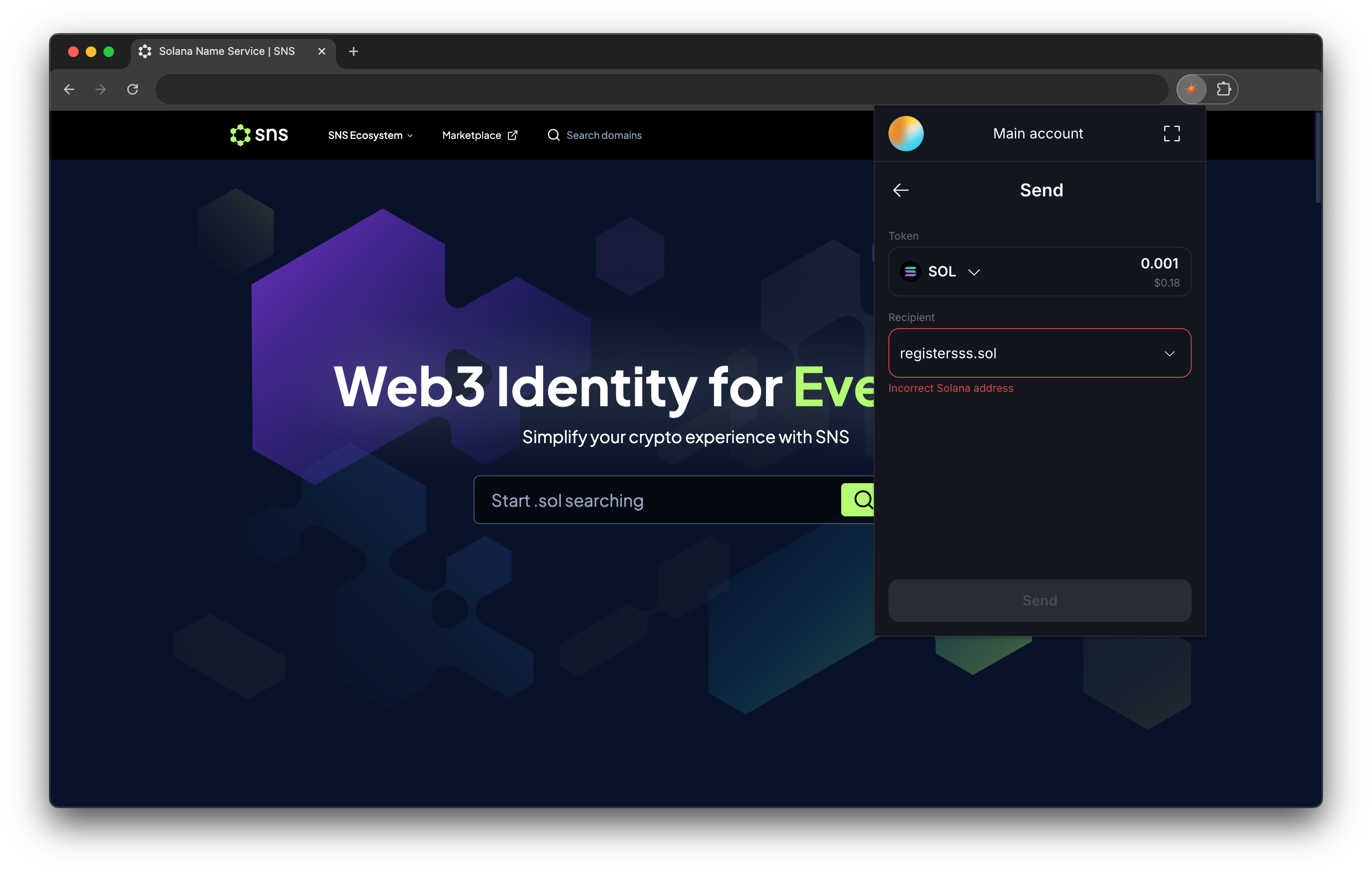
상대방의 .sol 도메인으로 토큰을 전송하려면, 수신자(Recipient) 입력란에 `.sol` 형식으로 입력하세요.
{% hint style="info" %}
예: 수신자 도메인이 `registersol`일 경우 → `registersol.sol`
{% endhint %}
{% hint style="success" %}
대부분의 지갑은 동일한 입력 규칙을 따릅니다.
{% endhint %}
### 트위터 핸들로 거래하기
상대방의 트위터 핸들을 이용해 토큰을 보낼 수도 있습니다.\
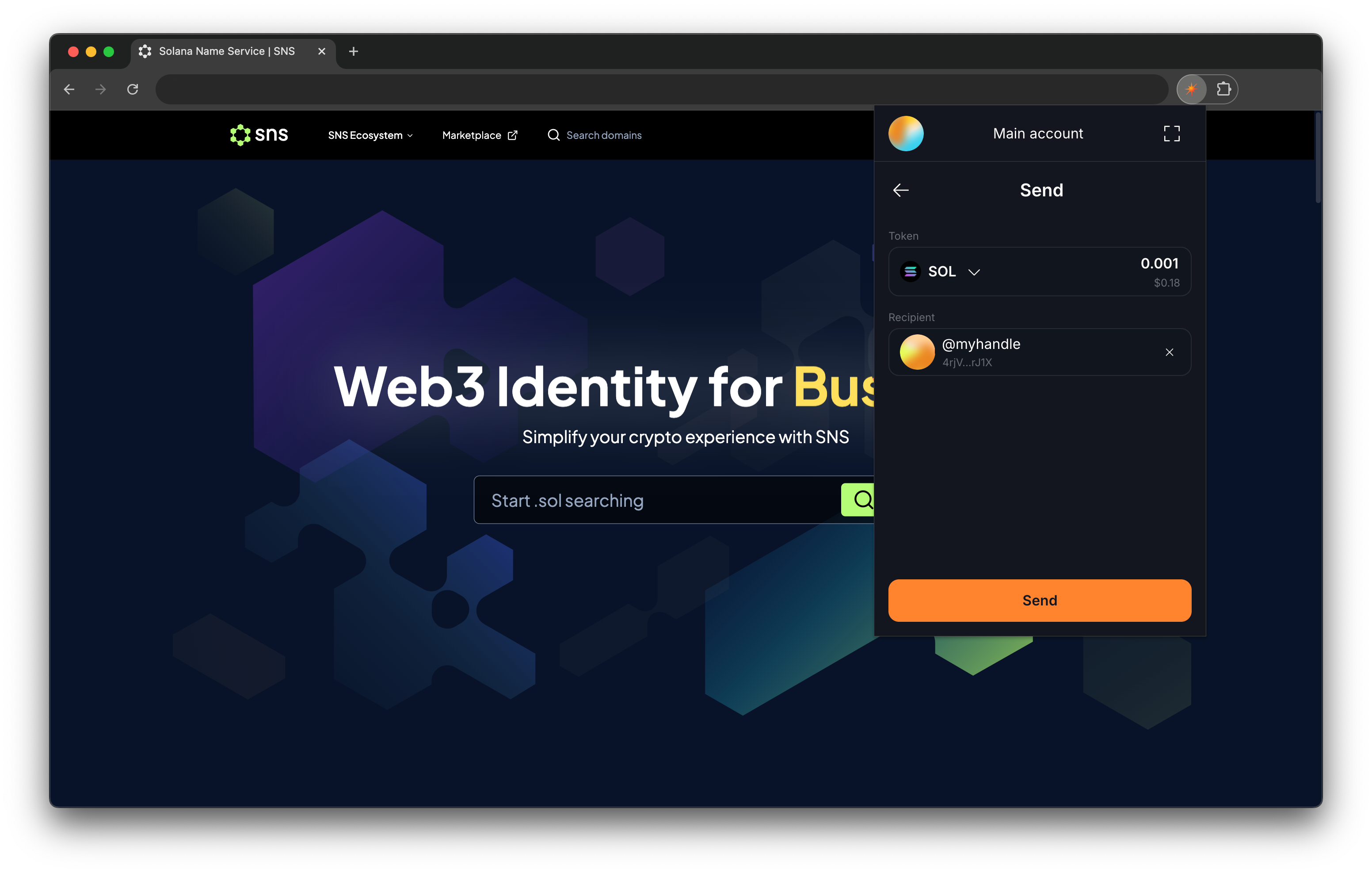
수신자 입력란에 `@twitter_handle` 형식으로 입력하세요.
{% hint style="info" %}
예: 트위터 핸들이 `myhandle`일 경우 → `@myhandle`
{% endhint %}
{% hint style="warning" %}
**트위터 핸들은 대소문자를 구분합니다.**
{% endhint %}
{% hint style="warning" %}
**현재는 Solflare 지갑만 트위터 핸들을 통한 전송을 지원합니다.**
{% endhint %}
## SNS로 웹사이트 연결하기
### 자체 리졸버 (In-house Resolver)
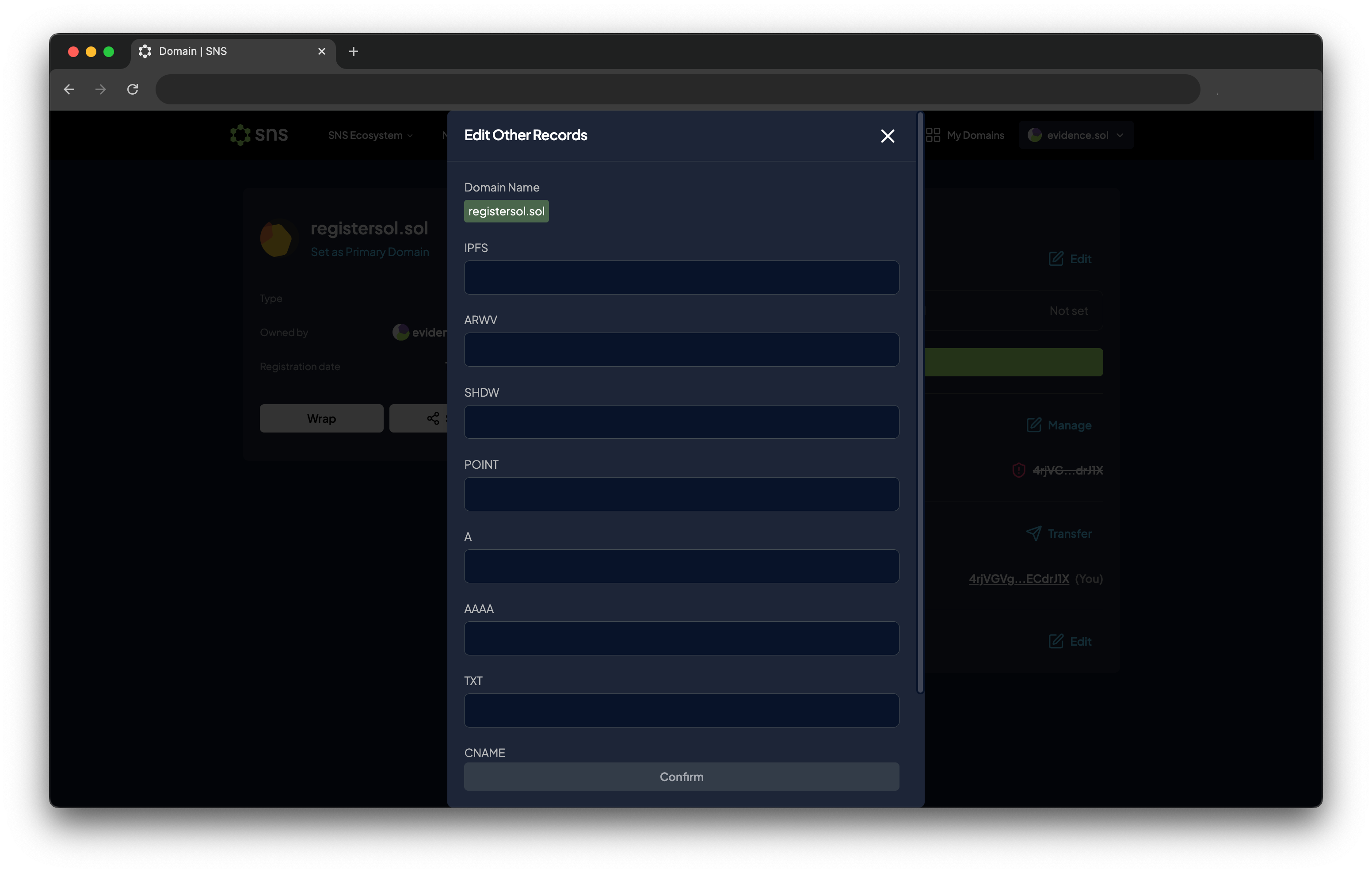
도메인 모음에서 연결하려는 도메인을 클릭하세요.\
**Others** 섹션에서 **Edit** 버튼을 눌러 도메인 레코드를 수정할 수 있습니다.
{% hint style="info" %}
리졸버는 다음 형식을 지원합니다:
1. **IPFS: `ipfs://` (e.g `ipfs://QmZk9uh2mqmXJFKu2Hq7kFRh93pA8GDpSZ6ReNqubfRKKQ`)**
2. **ARWV: `arwv://` (e.g `arwv://KuB5jmew87_M2flH9f6ZpB9jlDv8hZSHPrmGUY8KqEk`)**
3. **URL: With the following format `url_to_your_website` (e.g `https://sns.id`)**
{% endhint %}
{% hint style="warning" %}
여러 레코드가 설정된 경우, 리졸버는 **URL → IPFS → ARWV** 순으로 우선 처리합니다.
{% endhint %}
레코드를 설정한 후에는 `.sol-domain.org` 형식으로 SNS 웹사이트를 탐색할 수 있습니다.\
예: `yourdomainname.sol-domain.org`
### Brave 브라우저 예시
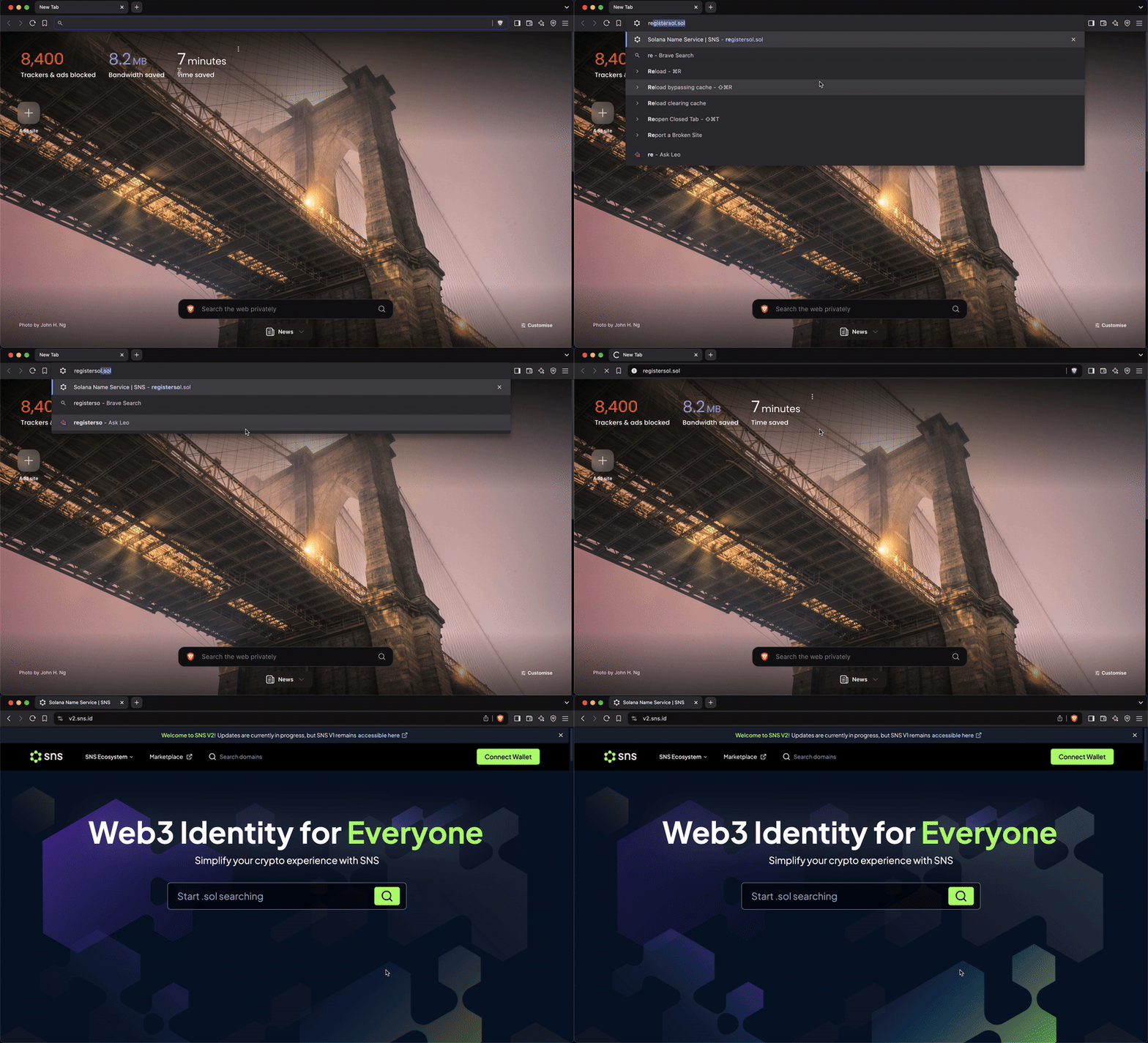
Brave 브라우저는 게이트웨이 없이 SNS 도메인을 직접 인식할 수 있습니다.\
따라서 주소창(URL 탭)에 `.sol` 도메인만 입력하면 사이트에 바로 접속할 수 있습니다.
도메인의 **URL 또는 IPFS 레코드 섹션**을 수정하고 서명(Sign)하면 설정이 완료됩니다.
### 4Everland example
4EVERLAND 호스팅 서비스는 **SNS + IPFS 통합**을 지원하며,\
모든 SNS 사용자를 위한 전용 게이트웨이 **4sol.xyz**를 제공합니다.
IPFS에 웹사이트를 배포하고 도메인을 연결하려면 아래 단계를 따라 진행하세요.
🎥 **4EVERLAND 설정 영상 튜토리얼:**
{% embed url="" %}
### Marlin Oyster 게이트웨이
Marlin Oyster를 사용하면 `.sol` 도메인의 IPFS 레코드에 연결된 모든 IPFS URL에 접근할 수 있습니다.\
설정은 매우 간단하며, IPFS 레코드를 수정하여 링크를 연결하면 됩니다.
모든 설정이 완료되면 `.place` 게이트웨이를 통해 웹사이트에 접근할 수 있습니다.\
예:[ ](< https://hostdomain.sol.pub>).
## [SNS 매니저](https://www.xnft.gg/app/Dv4kgorqEdzjxFf1rRZajfFmnfWgXrhRdyXT2VxZeumv)
**SNS 매니저(SNS Manager)** 를 통해 Web3 상에서 자신만의 온체인 아이덴티티를 구축하고 관리할 수 있습니다.\
이를 통해 SNS 기반의 프로필, 연결된 계정, 그리고 웹3 상의 개성을 손쉽게 관리할 수 있습니다.