> For the complete documentation index, see [llms.txt](https://docs.sns.id/collection/llms.txt). Markdown versions of documentation pages are available by appending `.md` to page URLs; this page is available as [Markdown](https://docs.sns.id/collection/sns-v1/manage-your-profile.md).
# Manage Your Profile
## 1. Get notified
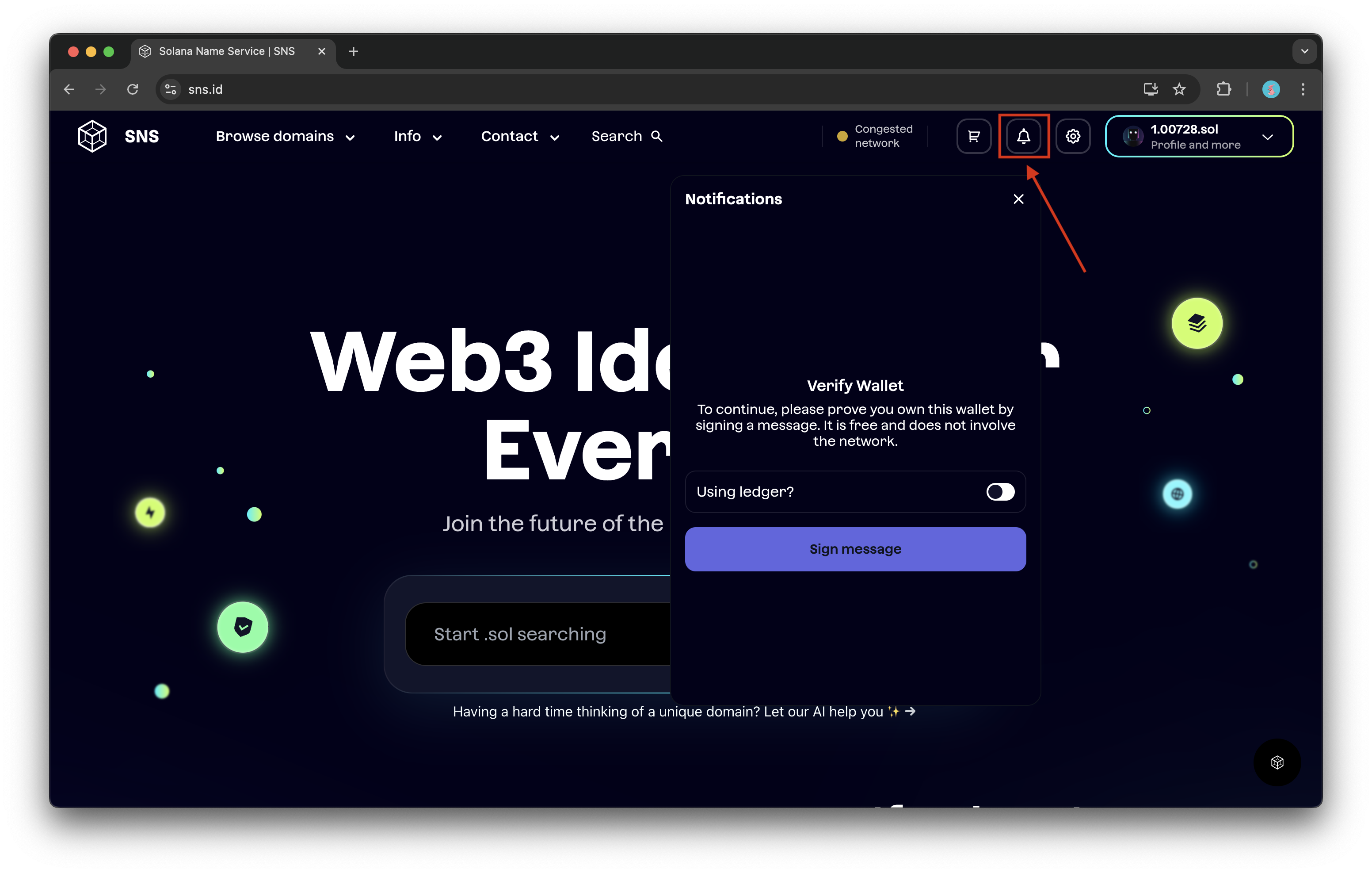
Turn on notifications to keep track of the sales and offers by clicking on the bell icon on sns.id.\
\
Firstly, sign the message to verify your wallet. It's free of charge and doesn't involve changes to the network.
After that, you will be able to set the settings for the notification types that you're interested in and the way you're going to receive them.
{% hint style="info" %}
**To enable notifications:**
* **in app -> just click on Enable button next to your address**
* **in Telegram -> message a bot to verify your handle**
* **by email -> enter a verification code that will be sent to you after entering your email**
{% endhint %}
The notification type system is flexible enough to make sure you won't miss any events happening to your listings, as well as to any category or a certain .sol domain name that you're interested in.
Click on the Set button next to the notification type to watch it. You can change the settings anytime by clicking on the Edit button.
## 2. Beta feature
The Beta toggle is your friend for testing new features on the site. By toggling this on you will always have the latest beta and experimental features live
Click on the profile button to reveal the toggle
## 3. Auto-suggest
The auto-suggest toggle has it in the name. When you toggle this on in your profile it will automatically suggest .sol domain names similar to your search
## 4. Change your profile picture
Add a profile picture for your domain name so partner dapps can aggregate this information when integrating SNS
Got to your profile and click on the edit profile picture icon then simply add an image URL
{% hint style="warning" %}
**You need to have a favorite domain set to be able to change your profile picture**
{% endhint %}
{% hint style="warning" %}
**Profile pictures and favorite domain names are linked. So, when you change your favorite domain you will have to set a new profile picture. When you change your favorite domain back to your previous choice, the profile picture chosen for that domain will reappear**
{% endhint %}
{% hint style="info" %}
**You can get an image URL by searching for it on an image on any browser, right-clicking on the image, and selecting "Copy image address"**
{% endhint %}
## 5. Bookmark domains
This feature allows you to bookmark domains that you like on the marketplace. In this manner, you can check the status of these domain names easily on your profile page at a later stage
Click on the bookmark icon and it will turn white to indicate that it has been marked. You can find bookmarked domains under "Bookmarked" on your profile page
 
{% hint style="info" %}
**Bookmarking domains are completely free of charge**
{% endhint %}